

Find visual signals.
Apple Vision identifies useful subjects, objects, and visual characteristics so a new reference begins with more than its filename.
 RefRo
RefRo RefRo: Reference Rover
Now available on the Mac App Store
RefRo keeps the source, context, and creative decisions attached to every image—then turns your strongest references into presentation-ready mood boards.
For image-led creative work
RefRo is for designers, artists, researchers, and educators who collect visual material before a project takes shape—and need that research to remain useful once the meeting begins.
01 · Collect and organize
Bring images in from Safari, Chrome, Finder, or the RefRo Dock icon. Source pages, image addresses, creators, categories, colors, rights, and creative notes stay together so the archive remains useful later.
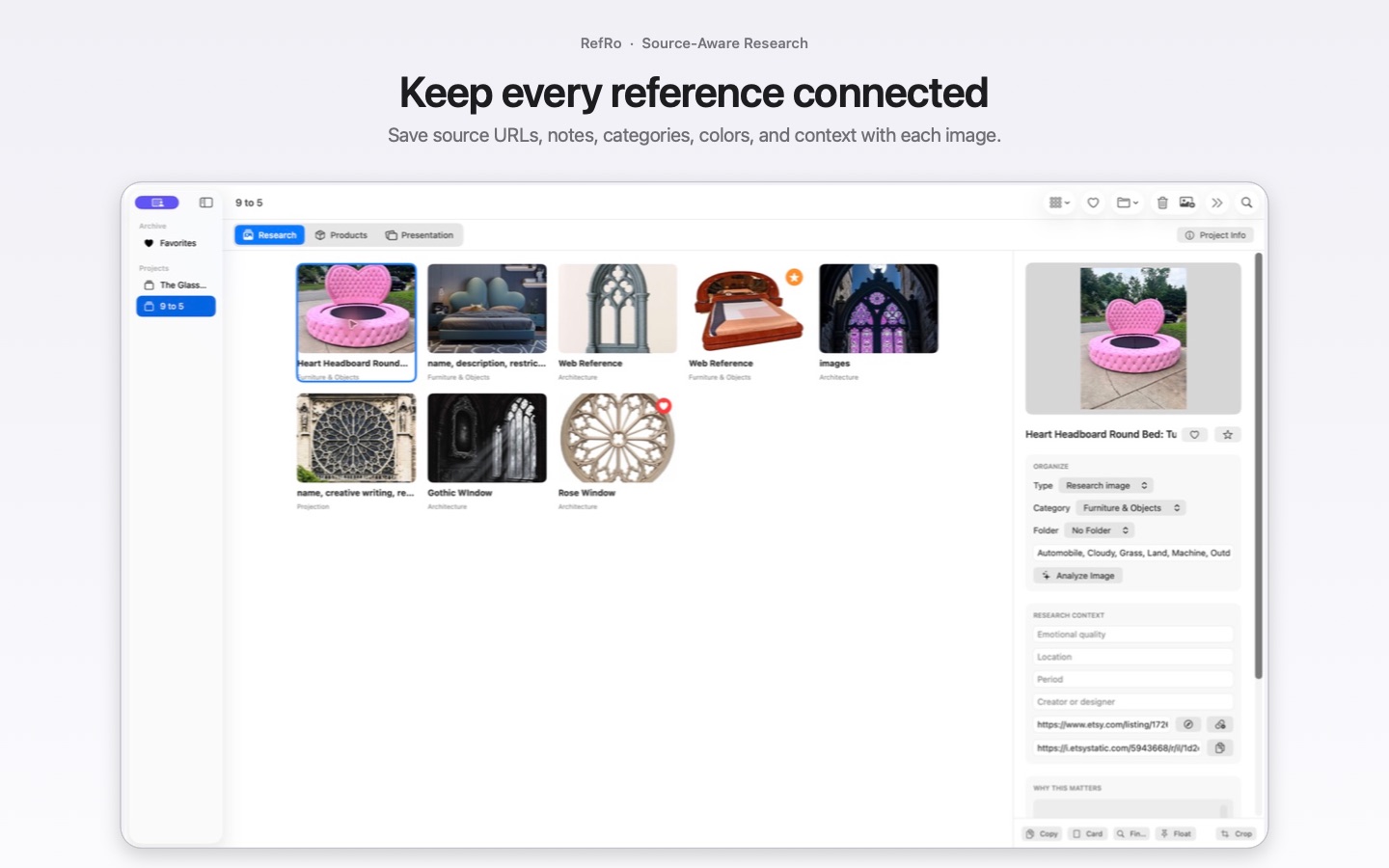
02 · Research with context
Keep retailer, location, price, currency, product URL, and date checked with product research instead of reconstructing those details when the project moves forward.
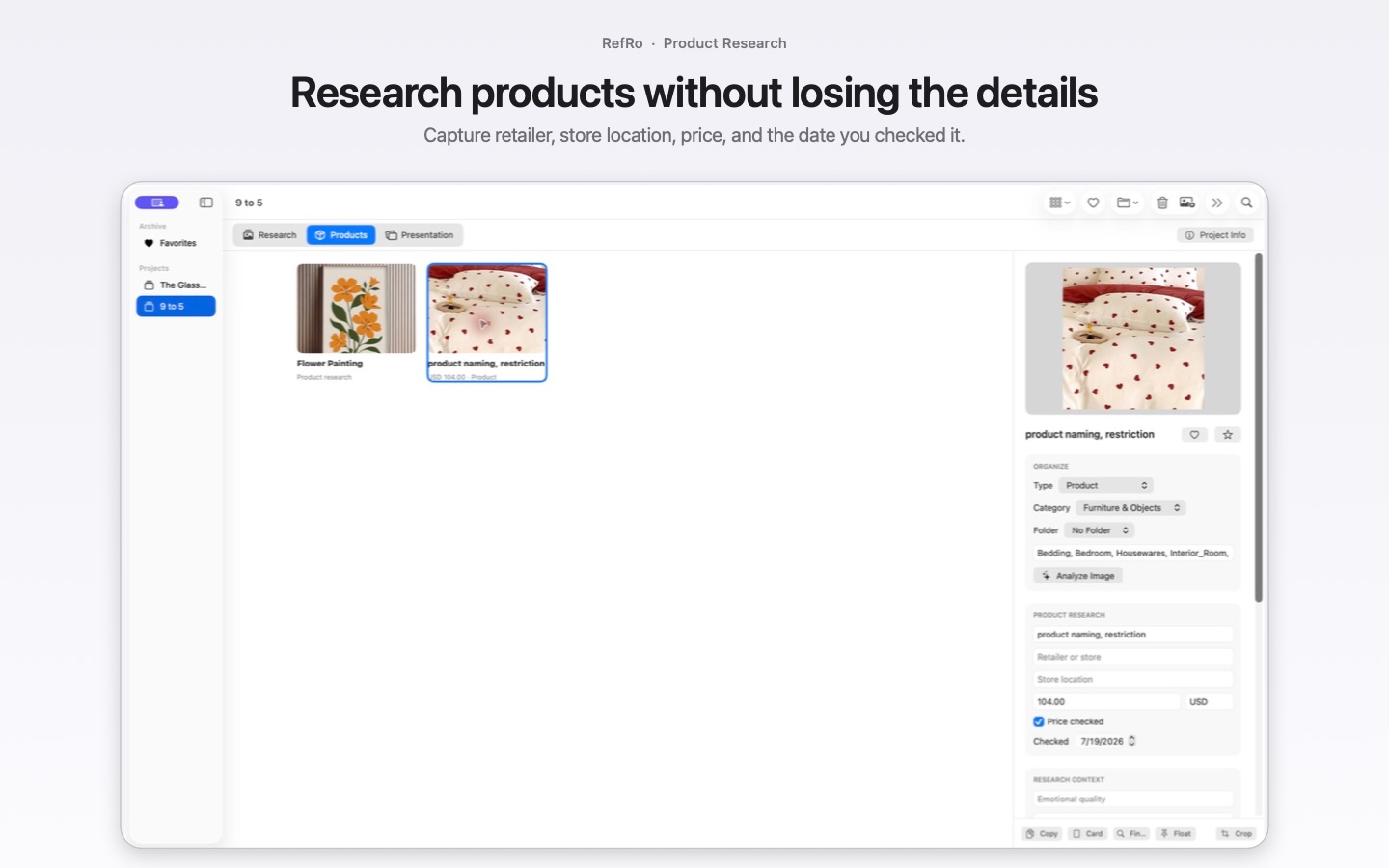
03 · Build and present
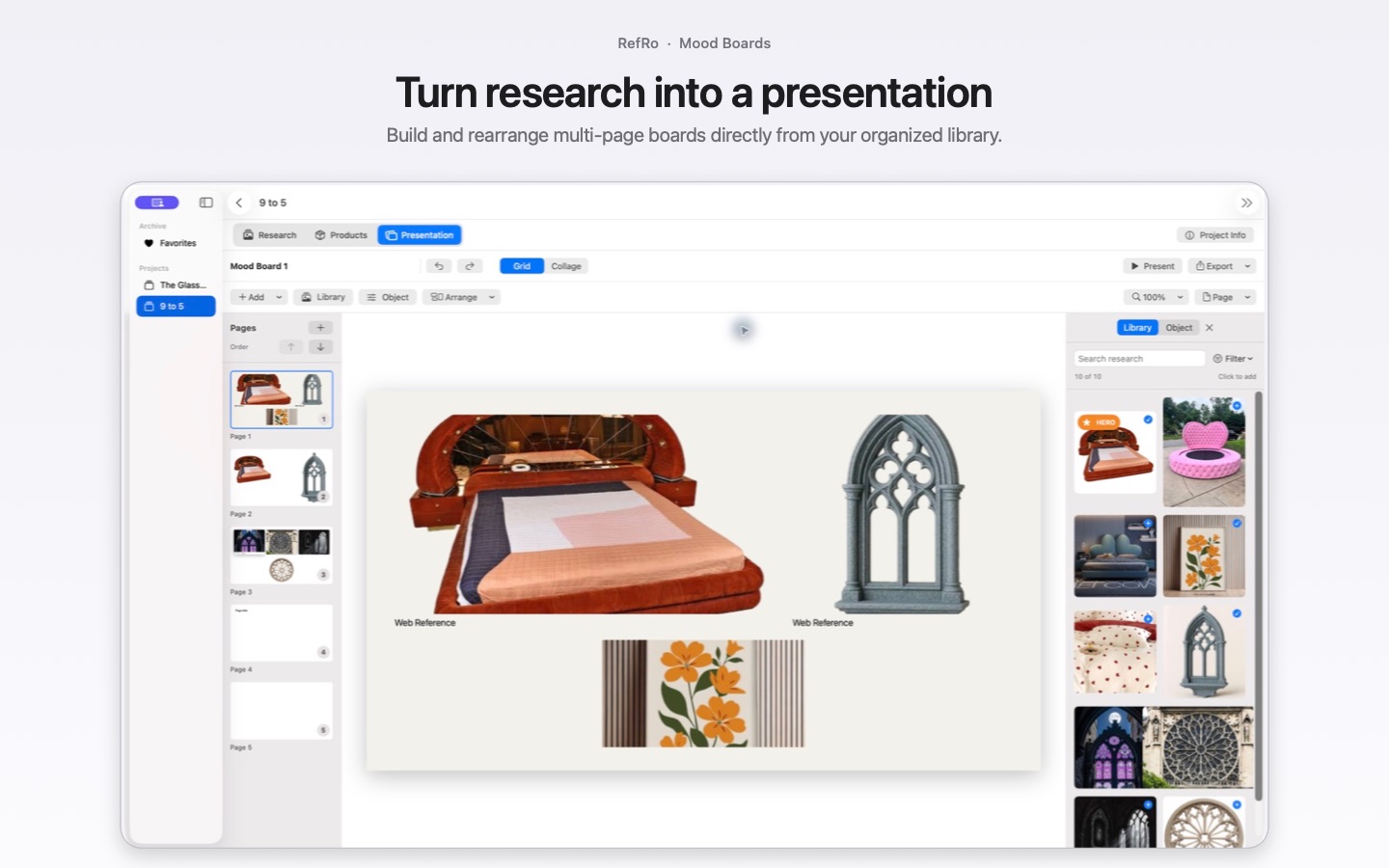
Turn selected references into a multi-page presentation. Begin with an automatic grid or work freely in collage mode, then crop, caption, align, present full screen, or export the pages for collaborators.
Apple Intelligence + on-device Vision
RefRo can recognize visual signals and suggest a concise starting name after import. The analysis stays on the Mac, and every suggestion remains editable.
Apple Vision identifies useful subjects, objects, and visual characteristics so a new reference begins with more than its filename.
On supported Macs, Apple Intelligence can combine those signals with project context to suggest a concise reference name.
You can revise or ignore every suggestion. RefRo does not replace attribution, rights information, or the creative notes only you can provide.
Apple Intelligence is used only when Apple’s on-device system model reports that it is available. Vision-based organization and the rest of RefRo remain usable without it.
What stays connected
Bring images in from Safari, Chrome, Finder, or the Dock icon while keeping useful source addresses and dates.
Organize projects, folders, categories, favorites, and hero images without separating a reference from its context.
Keep retailer, location, price, currency, product URL, and date checked beside the visual reference.
Build multi-page automatic grids or freeform collages with crops, captions, alignment, spacing, and custom page sizes.
Pair one image with the source and creative information collaborators need, ready to copy or export.
Present full screen or prepare PDF, Keynote, PNG-page, and flattened-PSD exports for the next conversation.